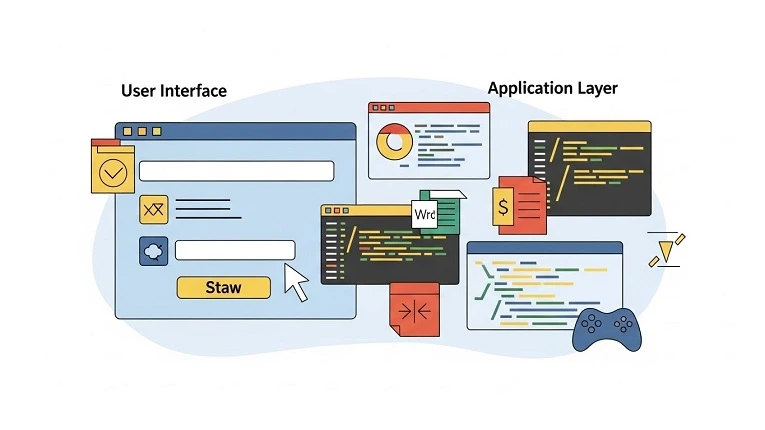
An API, short for Application Programming Interface, is a set of rules that lets one piece of software ask another piece of software to do something, and get an answer back. You never see it working, and you never need to write code to benefit from it. If you use apps that share data with each other, you already rely on APIs every single day.
The word sounds technical, and most explanations make it worse. They talk about endpoints, protocols and payloads before they explain the idea. This guide does it the other way round. You will learn what an API is in plain English, see the everyday examples hiding in your phone and your business, and find out why APIs matter so much for small businesses that want to automate work without hiring a developer.
The 30-second explanation
Think of two apps that need to work together. Your email tool needs the names from your contact list. Your accounting software needs the sales figures from your online shop. Your calendar needs to know when a customer books through your website.
An API is the agreed way those two apps talk to each other. One app sends a request, which is a structured question such as “give me the latest orders”. The other app sends back a response, which is the answer in a format both sides understand. Neither app needs to know how the other one works inside. It only needs to know what to ask for and how to ask.
That is the whole idea. An API is a menu of things one piece of software can request from another, plus the rules for asking. Everything else is detail.
Three things are worth remembering. First, an API has no screen. You cannot visit it or click on it. It works in the background, between systems. Second, an API is a contract. If you ask in the agreed format, you get a predictable answer. Third, APIs are everywhere. Almost every app you use depends on several of them.
The restaurant analogy (and why it works)
The most common way to explain an API is the restaurant. You sit at a table. You do not walk into the kitchen and cook your own meal. Instead, you read the menu and tell the waiter what you want. The waiter carries your order to the kitchen. The kitchen prepares the food. The waiter brings it back to your table.
In this picture, you are one piece of software. The kitchen is another piece of software. The menu is the list of things you are allowed to ask for. The waiter is the API. The waiter does not cook the food, and the waiter does not need to know how the kitchen works. The waiter’s job is to carry the request in one direction and the result in the other, following clear rules.
The analogy works because it captures the three parts that matter. The menu sets the limits: you can only order what is on it. The waiter enforces the rules: orders go in a certain format, and the kitchen answers in a certain way. And the kitchen stays hidden: you never need to see how the food is made, only that it arrives correctly.
It also explains why APIs are safe to use. The kitchen never lets customers wander in and grab things. In the same way, an API only exposes the specific things its owner wants to share. Your accounting software can ask your shop for order totals, but it cannot reach into the shop’s database and change prices. The API decides what is on the menu, and everything else stays locked away.
One limit of the analogy is worth noting. A waiter serves one table at a time, but an API can serve thousands of requests at once. That is why a single API can power an app used by millions of people without breaking a sweat.
APIs you already use every day
You probably use dozens of APIs before lunch without noticing any of them. Here are the ones hiding in plain sight.
Weather on your phone
When your phone shows the forecast, it is not measuring the weather itself. It asks a weather service through an API: “what is the forecast for London today?” The service answers with the numbers, and your phone displays them nicely. Change the city, and the same API answers a different question.
Maps inside other apps
When a restaurant website shows a map, or a delivery app shows your driver moving along the road, that map comes from Google Maps through an API. The restaurant did not build its own mapping system. It asked Google’s API for a map of its location and embedded the answer.
Paying online
When you pay on a small business website, the checkout usually hands your payment to a specialist such as Stripe or PayPal through an API. The shop never sees your card details. The payment provider checks the card, takes the money, and tells the shop “paid” through the API. That separation is exactly why it is safe.
Log in with Google
The “Sign in with Google” button on a website is an API at work. The website asks Google: “is this person who they say they are?” Google checks and answers yes or no, and shares only the basic details you agreed to share. You never give the website your Google password.
Social media sharing
When a blog post shows how many times it was shared, or lets you post it to LinkedIn with one click, APIs carry that information between the blog and the social network. When a tool schedules your posts across several platforms at once, it is talking to each platform’s API in turn.
The pattern is always the same. One app asks, another answers, and you see a smooth result. Once you start looking for it, you will spot APIs in almost everything you do online.
Why APIs matter for small business (no-code automations)
For a small business, APIs are the reason automation is affordable. Before APIs, connecting two pieces of software meant paying a developer to build a custom link. Now, the link often already exists. The API is built in, and tools such as Zapier, Make and n8n let you connect apps by choosing options from menus, with no code at all.
This is the concept behind every automation guide on this site. If you want to understand what AI workflow automation is, start here: an automation is a chain of API requests. A trigger fires, an API asks one app for data, an AI step processes it, and another API sends the result somewhere else.
Here is what that looks like in practice for a small UK business.
New enquiry, instant follow-up
A customer fills in the contact form on your website. The form’s API sends the details to your email tool, which adds the person to your list. Another API tells your CRM to create a new lead. A third tells your calendar tool to offer a booking link. Nobody typed anything twice, and the customer gets a reply in minutes. Our guide to automating follow-up emails with AI shows the full sequence.
Blog post becomes a newsletter
You publish a blog post. Your website’s API tells your email platform that a new post exists. An AI step drafts a newsletter section from it. The email platform sends it to your subscribers on schedule. The whole chain runs on APIs, and you only approve the draft. See how to automate newsletter writing with AI for the step-by-step version.
Invoices without the admin
A payment lands in Stripe. Stripe’s API tells your accounting software, which creates the invoice and marks it paid. The same API can tell your spreadsheet to update your monthly totals. What used to be an hour of admin on a Friday afternoon becomes nothing at all.
Three practical points follow from this. First, when you choose software, check whether it has an API or ready-made connections to the tools you already use. A cheaper tool without an API can cost more in manual work than a pricier one that connects. Second, start with one automation, not ten. Connect two apps, watch it work for a week, then add the next link. Third, keep a human in the loop where money or customers are involved. Let the API move the data, but let a person approve anything that goes out to a customer or changes a price.
Common API terms in plain English
You do not need to memorise these terms, but knowing them helps when a supplier mentions them or when you read a tool’s features page. Here they are, without the jargon.
Request and response
A request is a question one piece of software sends to another. A response is the answer that comes back. Every API interaction is a request followed by a response. If something goes wrong, the response includes a short code that explains why. A code in the 200s means success. A 404 means the thing asked for was not found. A 401 or 403 means permission was missing.
Endpoint
An endpoint is a specific address for a specific request. Think of it as an item on the menu. One endpoint might give you a list of customers. Another might create a new order. Each endpoint does one job, and the API’s documentation lists them all.
API key
An API key is a long secret code that identifies who is asking. It works like a password for software. It lets the API owner know which account is making requests, and it stops strangers from using the API without permission. Treat an API key like a password: never paste it into a public document or share it in a chat.
Integration
An integration is a ready-made connection between two apps, built on their APIs. When a tool says it “integrates with Xero”, it means someone already built the API connection for you. You switch it on, sign in, and the two apps start talking. Integrations are the no-code way to use APIs.
Webhook
A webhook is an API in reverse. Instead of your app asking for updates, the other app pushes a message to you the moment something happens. A payment arrives, and the payment provider instantly tells your accounting software. Webhooks are what make automations feel instant rather than delayed.
Rate limit
A rate limit is a cap on how many requests you can send in a set time. It stops one user from overloading the service. For a small business, rate limits rarely matter. They only become an issue if you are syncing huge amounts of data very often.
REST API
REST is the most common style for building web APIs. It is a set of conventions for how requests and responses are structured. You do not need to know the details. If a tool says it has a REST API, it simply means it follows the standard pattern that tools like Zapier and Make already know how to use.
FAQs
Do I need to know how to code to use an API?
No. Developers use APIs directly with code, but most small business owners use them through integrations and no-code tools. Zapier, Make and n8n give you menus and drag-and-drop steps instead of code. If a tool connects to your other tools, you are already using its API without writing a line.
Is an API the same as an app?
No. An app is something you see and use, with buttons and screens. An API has no screen at all. It is the hidden doorway that lets apps share data with each other. Many apps have both: the screens you use, and an API that other software can use.
Are APIs safe?
APIs are designed to be safe, because they only expose what their owner chooses to share, and they check an API key on every request. The main risks are human ones: sharing an API key carelessly, or giving a third-party tool more access than it needs. Check what permissions you grant, and revoke access for tools you no longer use.
What is the difference between an API and an integration?
An API is the raw connection: the menu and the rules. An integration is a finished connection built on top of an API, ready to switch on. You use integrations every day. Developers use APIs to build those integrations. For a small business, integrations are usually all you need.
How do I know if a tool I want to buy has an API?
Check the tool’s website for an integrations page or a developers page. Most serious business tools list both. If it integrates with Zapier, Make or n8n, it has an API, even if the sales page never uses the word. Ask the supplier directly if you cannot find it. A tool without an API can still be fine, but it will be harder to connect to the rest of your business.
Conclusion
An API is simply the agreed way for software to ask other software for things. The restaurant analogy holds up: a menu of what you can request, a waiter who carries the message, and a kitchen you never need to enter. You already use APIs every day, from weather forecasts to online payments, and they are the quiet engine behind every automation a small business can set up without a developer.
The practical takeaway is a question to ask before you buy any business software: does it connect to the tools you already use? If the answer is yes, its API is doing the work for you. If the answer is no, count the manual hours that missing connection will cost before you commit. Start with one small automation, let the APIs carry the data, and keep a human approving anything that reaches a customer.