The Simple Answer: What the Internet Actually Is
The internet is a global network of networks. Millions of separate networks, run by phone companies, businesses, universities and governments, have agreed to pass data to one another using the same rules. Nobody owns all of it, and there is no central off switch. When you open a website, send an email or join a video call, your device talks to other computers through this shared network, usually in less than a second.
It helps to think of the internet as a road system. The cables, routers and rules are the roads. The websites, emails and video calls are the traffic that travels on them. Everything on the internet, from a one-line message to a two-hour film, is broken into tiny pieces of data and sent along those roads to its destination.
This guide explains the whole journey in plain English. No jargon, no code, just the pieces that make it work and how they fit together.
The Internet vs the Web: Not the Same Thing
People use the words internet and web as if they mean the same thing. They do not. The internet is the physical network itself: the cables, the routers and the rules that move data. The World Wide Web is one of the things that travels on it, alongside email, video calls, online games and file sharing.
A simple way to remember it: the internet is the roads, the web is the cars. Email is a delivery van on the same roads. A video call is a bus. They all use the same network, but they are different services with different rules. When Tim Berners-Lee, a British scientist working at CERN, proposed the World Wide Web in March 1989, he was building a new way to share documents on top of a network that already existed.
The Physical Internet: Cables, Routers and Data Centres
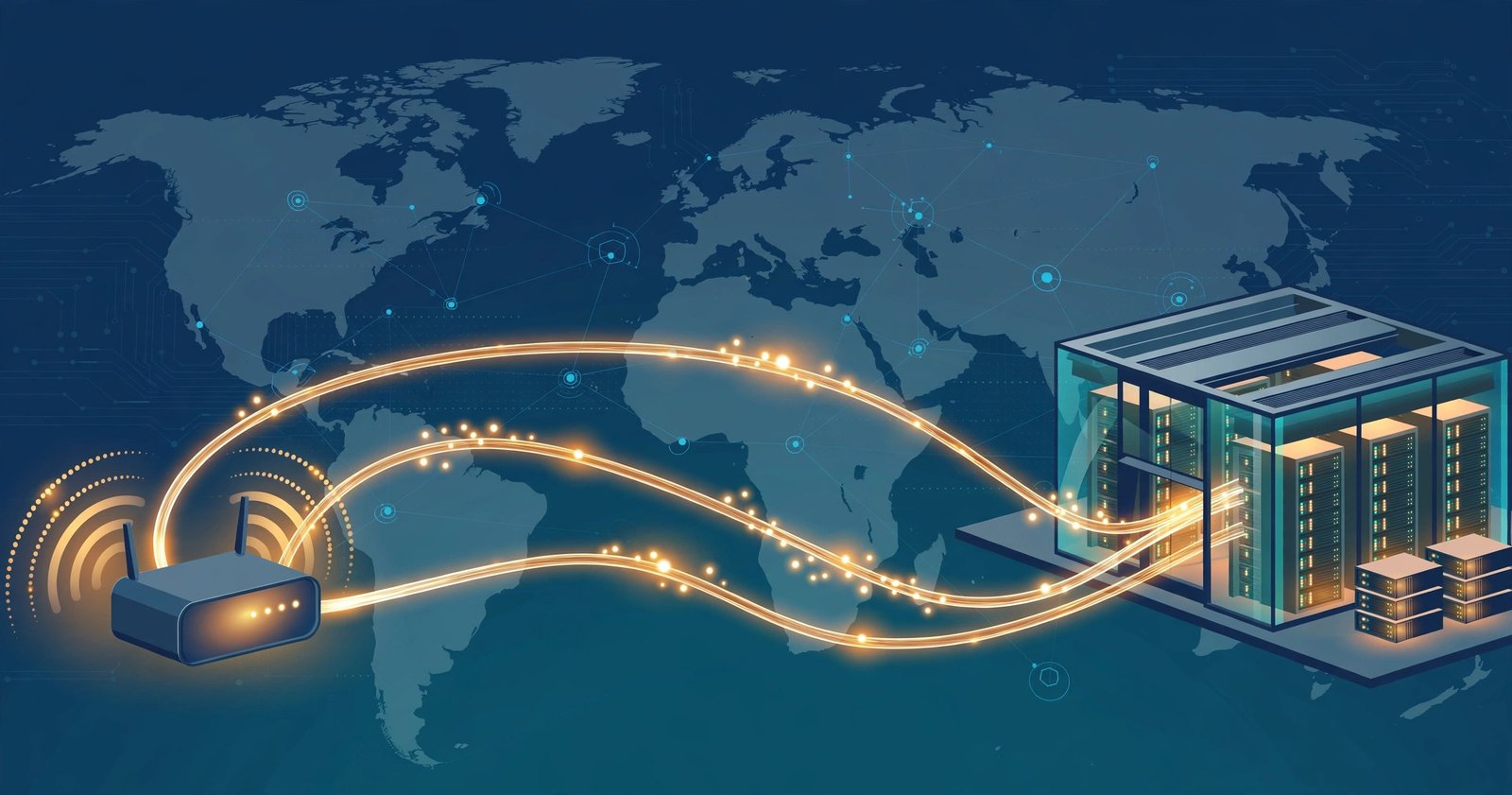
The internet is not a cloud. It is real, physical infrastructure. The vast majority of international internet traffic travels through undersea fibre-optic cables, not satellites. These cables lie on the sea bed and carry data as pulses of light at around two thirds of the speed of light, roughly 200,000 kilometres per second. Cables land at points around the UK coast and connect onward to the rest of the country.
On land, the network runs through fibre-optic cables in the ground, mobile phone masts and the Wi-Fi router in your home or office. The huge buildings that store the websites and services you use are called data centres. They are filled with rows of computers, known as servers, that run all day and every day. When you visit a website, you are really asking a server in a data centre somewhere to send you a copy of that page.
Your own connection fits into this picture through your internet service provider, or ISP. In the UK that might be BT, Virgin Media, Sky, TalkTalk or one of the smaller full-fibre providers. Your ISP connects your home to the wider network, usually through fibre or cable to your street, then through the national backbone to the rest of the world.
IP Addresses: Every Device Needs a Postal Address
For data to reach the right device, every device on the internet needs an address. That address is called an IP address, short for Internet Protocol address. It is a number such as 203.0.113.10 that works like a postal address for your computer, phone or smart TV.
There are two kinds of IP address you will hear about. A public IP address is the one your home or office shows to the rest of the internet. A private IP address is the one your router gives to each device inside your home network. Your router uses a technique called NAT, or Network Address Translation, to let all your home devices share one public IP address, much like one street address covers every flat in a building.
The older version of the system, IPv4, uses numbers like the one above and is running out of room. The newer version, IPv6, uses much longer addresses and has room for far more devices. Most UK broadband providers now support both, and your devices switch between them without you noticing.
DNS: The Internet’s Phone Book
Nobody remembers a string of numbers for every website they visit. That is why the Domain Name System, or DNS, exists. DNS translates human-friendly names, such as generalupdate.co.uk, into the IP addresses that computers use to find each other. It is often called the internet’s phone book.
When you type a web address into your browser, your device asks a DNS server for the matching IP address. The DNS server is usually run by your broadband provider. If it does not know the answer, it asks other servers up the chain: first a root server, then the servers for the ending, such as .uk, then the servers that hold that domain’s records. The whole lookup takes a fraction of a second, and the answer is cached, or remembered, so the next visit is even faster.
DNS was invented in 1983 by Paul Mockapetris, because the early internet had grown too big for everyone to keep a shared list of names and numbers by hand. In the UK, the .uk part of the system is looked after by Nominet, the registry that manages .uk domain names.
Packets: How Your Data Actually Travels
Data on the internet never travels as one big lump. It is broken into small pieces called packets. Each packet carries a chunk of the actual data, the sender’s IP address, the receiver’s IP address and a sequence number so the packets can be put back together in the right order at the other end.
Think of sending a book by post, one page per envelope. Each envelope can take a different route through different sorting offices, and the person at the other end puts the pages back together in order. That is exactly how packets work. If one packet goes missing on the way, the receiving computer asks for that one page again instead of the whole book.
The rules that govern this are called TCP/IP. IP handles addressing and routing: it gets each packet to the right address. TCP checks that all the packets arrived and asks for any missing ones again. Together they make sure the data you receive is complete and in order, even though the packets may have travelled by different routes.
Routers: The Traffic Directors
Packets do not find their own way. They are passed along by devices called routers, which read the destination address on each packet and send it one step closer to where it needs to go. Your home has a router, the Wi-Fi box in the corner, and there are millions of much larger routers across the internet doing the same job at enormous scale.
Routers talk to each other constantly to work out the fastest routes, and they can send packets around congestion or a broken cable, much like a sat nav rerouting you around a traffic jam. This is one reason the internet is so hard to shut down: there is no single route that everything must use, and no single machine in charge. The system was designed that way from the start, and it still works that way today.
Servers: Where Websites Actually Live
A website lives on a computer called a server. Servers are powerful computers kept in data centres, and they spend their whole lives waiting for requests. When your browser asks for a page, the server finds the right files and sends them back as packets.
The internet runs on a simple model: clients ask, servers answer. Your phone or laptop is the client. The website’s server is the one answering. The same model powers almost everything you do online. Your email app asks a mail server for new messages. Your video app asks a streaming server for the next chunk of a film. The servers do the heavy lifting, and your device shows you the result.
Big websites do not rely on a single server in a single building. They use content delivery networks, or CDNs, which keep copies of a site’s files in data centres all over the world. When you visit a popular site from the UK, you usually get your copy from a server in the UK or nearby Europe, which is why the page loads so fast.
HTTP and HTTPS: The Language of the Web
Browsers and servers need a shared language to talk to each other, and that language is HTTP, short for HyperText Transfer Protocol. Your browser sends an HTTP request asking for a page, and the server sends back an HTTP response containing it. It is a simple question and answer, repeated billions of times a day.
The S in HTTPS stands for Secure. It adds a layer of encryption called TLS, which scrambles the data as it travels so nobody in the middle can read or change it. You can tell a site uses HTTPS by the padlock icon in your browser’s address bar. Today the overwhelming majority of websites use HTTPS, and your browser will warn you about the few that do not.
Once the packets arrive, your browser puts them back together and builds the page you see. It reads the HTML for the structure, the CSS for the styling and the JavaScript for anything interactive. All of that happens in a fraction of a second, which is why the web feels instant even though your request may have crossed an ocean and back.
The Full Journey: From Typing a Web Address to Seeing a Page
Here is everything that happens when you type a web address and press Enter. Each step takes a tiny slice of a second.
- You type a website name, such as bbc.co.uk, into your browser.
- Your browser asks a DNS server for the website’s IP address.
- Your request is split into packets and sent through your home router.
- Routers across the internet pass the packets towards the website’s server, over fibre-optic cables and undersea links.
- The server receives the request and sends the page back as packets.
- Your browser reassembles the packets, reads the HTML, CSS and JavaScript, and displays the page.
That is the whole internet in six steps. Every email, video call and file download follows the same pattern, with different services using the same roads.
A Brief History: How We Got Here
The internet did not appear overnight. In 1969, the first message was sent between two computers on ARPANET, a research network funded by the US military. In May 1974, Vint Cerf and Bob Kahn published the paper that described TCP/IP, the set of rules the internet still runs on today. By 1983, DNS gave the network human-friendly names. In 1989, Tim Berners-Lee proposed the World Wide Web, and in 1991 the first website went live.
From there, the growth was explosive. Dial-up gave way to broadband, broadband gave way to fibre, and mobile data put the internet in everyone’s pocket. Each step used the same underlying ideas, packets, IP addresses, DNS and TCP/IP, which is why a system designed in the 1970s still powers the modern web. The foundations were built to last, and they have.
The UK Angle: Who Runs the UK Internet
Nobody owns the internet, but plenty of organisations keep the UK part of it running. Ofcom regulates the UK telecoms market, including broadband providers and mobile networks. Openreach, part of the BT Group, runs much of the physical network that reaches homes and businesses, and it is rolling out full-fibre broadband across the country. Other networks, including Virgin Media O2 and a growing number of smaller full-fibre providers, run their own cables too.
Nominet manages .uk domain names, so it decides the rules for registering a .co.uk or .uk address. Internet exchange points in London and Manchester let the UK’s networks swap traffic directly with each other instead of sending it abroad and back. And undersea cables land at points all around the British coast, connecting the UK to Europe, North America and beyond.
For small businesses, this matters because your website’s speed and reliability depend on these pieces working together. A site hosted on a server close to your customers, served over HTTPS and delivered through a CDN, will load faster and rank better than one hosted on the other side of the world. If you want to understand the building blocks behind the tools your business runs on, our simple guide to APIs explains how those tools talk to each other.
How to Stay Safe on the Internet
Understanding how the internet works also helps you use it safely. Most online harm comes not from the network itself but from people who abuse it, so a few habits go a long way. Use a different password for every important account, and switch on two-factor authentication wherever it is offered. Keep your browser and devices updated, because updates close the security holes attackers rely on.
Check for the padlock before you enter payment details or personal information on a website, and be suspicious of any message that pressures you to act urgently. Many scams today use AI to write convincing emails and clone voices, so the old advice to trust your instincts matters more than ever. Our small business cybersecurity checklist walks through the full set of steps, and our guide to AI workflow automation shows how the same connected tools can save your business time once they are set up securely.
FAQs
Who owns the internet?
Nobody owns the internet. It is a network of networks, run by thousands of separate organisations that agree to follow the same rules. Governments, companies and non-profits each run their own part, and standards bodies keep the shared rules up to date. There is no single owner and no central off switch.
Is the internet the same as Wi-Fi?
No. Wi-Fi is just the wireless link between your device and your home router. The internet is the global network beyond that router. Wi-Fi gets you to your front door, and the internet is the road system beyond it. You can connect to the internet without Wi-Fi, for example through a cable or mobile data, and you can use Wi-Fi without the internet, for example to print to a wireless printer.
How fast does data travel on the internet?
Data in fibre-optic cables travels as pulses of light at around two thirds of the speed of light, roughly 200,000 kilometres per second. In practice, a request from the UK to a server in Europe and back takes tens of milliseconds, because the signal has to pass through routers and be processed at each end. Distance, congestion and the number of hops all add small delays.
What happens if a cable breaks?
The internet routes around damage. Routers constantly share information about which paths are working, so if a cable breaks or a router fails, packets are sent along a different route. You might notice a brief slowdown, but the connection usually keeps working. This resilience is a direct result of the network having no single centre and no single route.
Do I need to understand the internet to use it safely?
You do not need the technical detail, but the basics help. Knowing that DNS translates names into numbers helps you spot a fake website address. Knowing that HTTPS encrypts your connection helps you check for the padlock before entering details. And knowing that your data travels in packets through many hands is a good reason to use strong passwords and two-factor authentication.
Conclusion
The internet looks like magic, but it is really a set of simple ideas working together at enormous scale. Cables carry pulses of light. IP addresses tell data where to go. DNS turns names into numbers. Packets break big jobs into small pieces. Routers pass them along, and servers answer when asked. That is the whole system, and it has worked, with the same foundations, for more than fifty years.
The next time a page loads in a blink, you will know what happened in that blink. And the next time someone asks how the internet works, you will have a plain-English answer ready.