Email Automation Workflows for Beginners: 5 to Steal for Your Business
An email automation workflow is a set of emails that send themselves when a subscriber does something, such as joining your list, buying a product or going quiet for a while. You choose the trigger, the timing and the message once. The system then sends the right email to the right person at the right moment, without you pressing send each time. This guide gives you five workflows you can copy, a step by step build plan, and the UK rules you must follow.
What an email automation workflow is
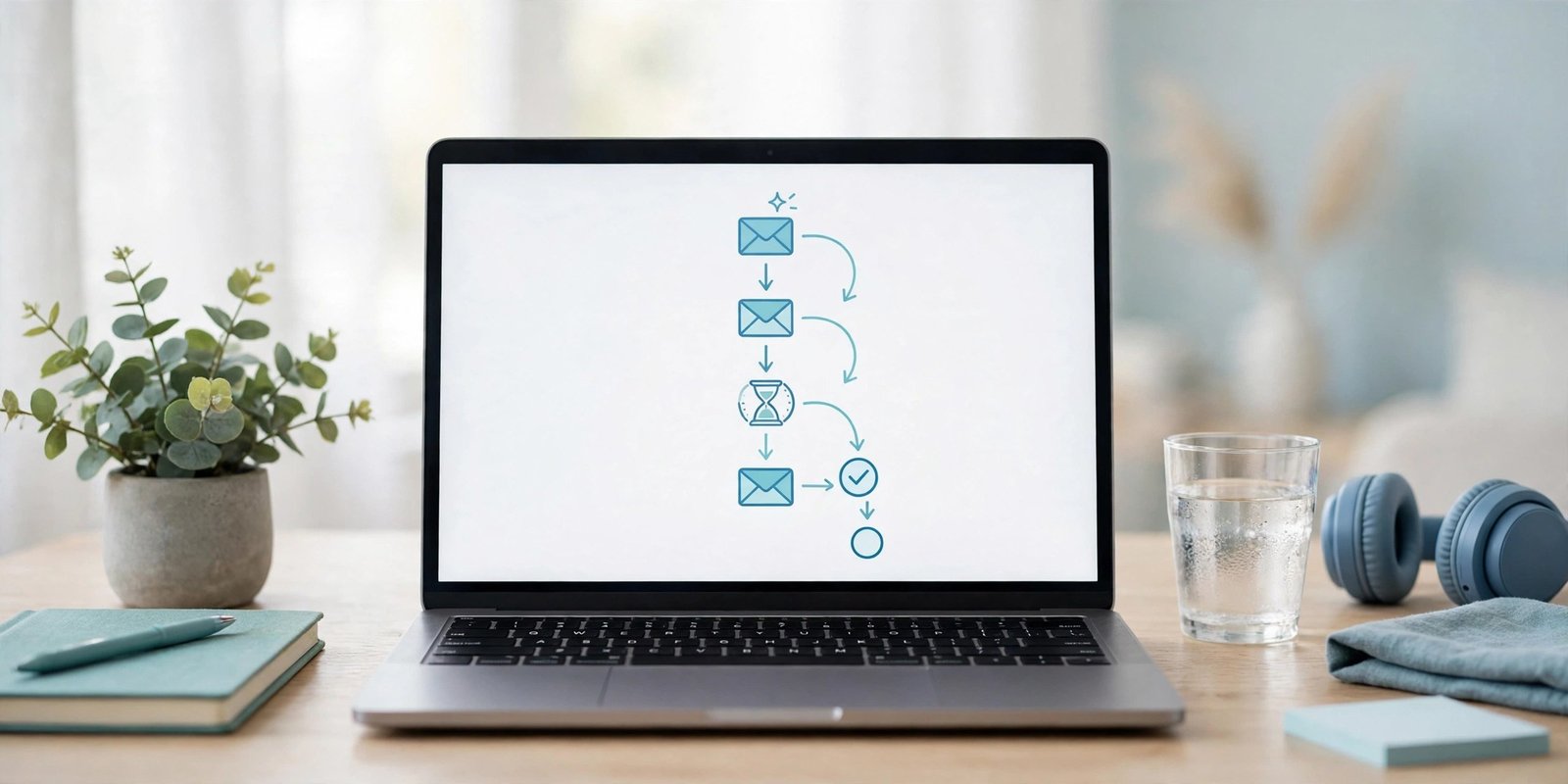
A workflow is a simple flowchart with three parts. A trigger starts it, a condition decides who moves forward, and an action sends the email. A new subscriber is a trigger. A purchase is a trigger. Sixty days of silence is a trigger too.
This is different from a one off campaign. A campaign goes to your whole list at a time you choose. A workflow reacts to one person at the moment they act. That timing is why automated emails get opened more often. The message arrives when the reader cares most.
You do not need coding skills to build one. Modern email tools offer visual builders where you drag steps into place. If you can send a normal email, you can build a basic workflow. The wider idea of hands off work is covered in our guide to what AI workflow automation is, and email is one of the easiest places to start.
The 5 beginner workflows to steal
You do not need twenty automations. Most of the value comes from five. Build them in this order, and add one at a time so you can see what works.
1. The welcome series
This is the first workflow every business should build. A new subscriber is at peak interest in the minutes after signing up, so the welcome email gets the highest open rate of anything you will send.
Keep it to three emails over the first week. Email one goes out at once. Deliver what you promised, such as a discount code or a guide, and say in one line who you are and what you send. Email two arrives on day two or three. Share your best piece of content or a short version of your story. Email three lands around day five. Offer a clear next step, such as a product, a booking link or a reply to your email.
Set one expectation in the first email. Tell readers how often you will write and what they will get. People who know what to expect stay subscribed longer.
2. The nurture sequence
Not every subscriber is ready to buy. A nurture sequence builds trust over two to four weeks with useful content and no hard sell.
Trigger it when someone downloads a guide, joins from a blog post or clicks a topic link. Send one helpful email every three to four days. Each email should solve one small problem. A plumber might send a guide to bleeding a radiator. A coach might send a five minute planning exercise. End each email with a soft next step, never a demand.
Stop the sequence the moment someone buys or books. Nothing kills trust faster than a sales pitch sent to a person who already paid. Most tools let you add an exit rule for this, so set it before you switch the workflow on.
3. The abandoned cart reminder
If you sell online, this workflow often pays for your whole email tool. A shopper adds a product to their basket and leaves without buying. A short sequence brings a real share of them back.
Send three emails. The first goes out within one to three hours. Keep it simple and helpful. Remind them what they left behind and link straight back to the basket. The second arrives a day later. Answer the most common worry, such as delivery cost, returns or sizing. The third lands on day three. Add a small nudge, such as a limited time discount or a note that stock is low. Do not offer a discount in the first email. Save it for the people who need a reason to return.
Check your checkout first. If delivery charges appear late or the form asks for too much, no email sequence will fix that. Fix the friction, then automate the reminder.
4. The post-purchase sequence
A purchase should start a stronger relationship, not end the conversation. A post-purchase workflow guides the customer to their first good result with what they bought.
Email one confirms the order and sets delivery expectations. Email two arrives when the product lands or the service starts. Give setup instructions, care tips or a short how to video. Email three comes a week later. Ask how it is going and invite a reply. Email four, around two weeks in, asks for a review. Happy customers rarely leave reviews on their own, and a timed ask works far better than a generic plea months later.
For services, swap the delivery emails for onboarding steps. A new client might get a welcome pack, a link to book a kickoff call and a note about what happens next. The structure is the same. The goal is a customer who feels looked after.
5. The re-engagement sequence
Every list goes stale. Subscribers stop opening, and sending to people who never open hurts your deliverability. A re-engagement workflow, often called a win back flow, gives quiet subscribers a reason to return before you stop emailing them.
Trigger it after 60 to 90 days with no opens or clicks. Send two or three emails over two weeks. The first reminds them what they signed up for and offers your best recent content. The second asks a direct question, such as what topics they want or whether they still want your emails. The third is a clear goodbye. Tell them you will remove them unless they click to stay.
Then remove the people who do not respond. A smaller list of engaged readers beats a large list of strangers. It also keeps you on the right side of UK data rules, which we cover below.
How to build your first workflow step by step
Start with the welcome series. It is the easiest win and it teaches you the whole process. Follow these six steps.
Step 1: Pick one goal. For a welcome series, the goal is simple. Turn a new subscriber into a reader who opens your next email. Write that goal down before you touch the tool.
Step 2: Map the emails on paper. List each email, its trigger, its delay and its one job. Three emails over a week is enough. A sketch on paper stops you building a ten email monster by accident.
Step 3: Write the emails before you build. Write them in plain language, as if to one person. Use the subscriber’s name if your tool supports it. Keep each email focused on one idea and one link. If you want a fuller guide to writing emails that convert, see our piece on how to automate follow-up emails with AI.
Step 4: Build it in your email tool. Open the automation builder, choose the trigger, add your emails and set the delays between them. Add an exit rule so buyers leave a sales sequence. Most builders let you test the flow with your own email address first. Do that before you publish it.
Step 5: Check the UK rules. Under UK GDPR and the Privacy and Electronic Communications Regulations, you need consent to send marketing emails. Use a clear opt in on your signup form, not a pre ticked box. Tell people what they are signing up for. Keep a record of when and how each person consented. Every marketing email must include a working unsubscribe link, and you must honour opt outs promptly. If someone asks to be forgotten, remove them. Our guide to automating newsletter writing with AI covers the consent basics for newsletters in more detail.
Step 6: Switch it on, then watch the numbers. Check open rates and click rates weekly for the first month. If email two gets far fewer opens than email one, the subject line or the timing is the problem. Change one thing at a time so you know what worked.
The tools: what free plans actually include
You do not need a paid plan to start. Most email platforms offer a free tier, but the limits differ, so check them before you build. The common limits are the number of contacts you can store, the number of emails you can send each month, and which automation features are unlocked.
Mailchimp is the best known option, and its free plan covers small lists with basic automation. Brevo, formerly Sendinblue, offers a free plan based on daily sending limits rather than list size, which suits small lists that email often. MailerLite and ConvertKit, now Kit, also offer free tiers aimed at creators and small businesses. Each one includes a visual automation builder, so you can build a welcome series without paying.
Pick the tool that fits your list size and your sending habits, not the one with the longest feature list. If you send a weekly newsletter to 400 people, a free plan may cover you for months. If your list grows past a thousand contacts, expect to pay. Compare the options side by side in our guide to Mailchimp alternatives for UK small businesses, which covers pricing and UK compliance for each one.
One warning: avoid the cheapest tool that locks automation behind a paid tier. A free plan without workflows is useless for this job. Check that automation is included before you import your list.
Mistakes beginners make
Building too many workflows at once. One working flow beats four half finished ones. Start with the welcome series, get it sending cleanly, then add the next.
Writing like a robot. Automation should sound like you wrote the email five minutes ago. Use short sentences, plain words and one clear point per email. If it reads like a template, rewrite it.
Skipping the test send. Every workflow should be tested with a real inbox before it goes live. Broken links, missing first names and wrong dates are common, and they are easy to catch in a test.
Never cleaning the list. Inactive subscribers drag down open rates and sender reputation. Run a re-engagement flow every few months and remove the people who never respond.
Ignoring consent records. Under UK rules, bought lists and scraped addresses are not a shortcut. They lead to spam complaints and damage your sender reputation. Grow your list with clear opt ins only.
Setting and forgetting forever. Workflows need a check every few months. Prices change, links break and offers expire. Put a quarterly reminder in your calendar to read each automated email as if you were a new subscriber.
FAQs
What is the easiest email automation workflow for a beginner?
The welcome series is the easiest and the most valuable. It needs only three emails, it triggers on every new signup, and it reaches subscribers when they are most interested. Build it first, then add the abandoned cart or post-purchase flow next.
Do I need to pay for email automation?
No, not to start. Mailchimp, Brevo, MailerLite and ConvertKit all offer free plans that include basic automation for small lists. You will need a paid plan once your list or your sending volume grows past the free limits, so check the caps before you commit to a tool.
How many emails should a workflow contain?
Three to five is the right range for most beginner workflows. A welcome series works well with three emails over a week. An abandoned cart sequence works with three emails over three days. Longer sequences suit nurture flows, where five or six emails spread over a month build trust without wearing the reader out.
Is email automation legal in the UK?
Yes, if you follow the rules. Under UK GDPR and PECR you need consent to send marketing emails, every email must include an unsubscribe link, and you must stop emailing people who opt out. Use clear opt in forms, keep consent records and never email a bought list.
Will automated emails sound impersonal?
Only if you let them. Write each email to one person, use their name where it fits, and base the message on something they actually did, such as joining your list or buying a product. A relevant email sent at the right moment feels more personal than a generic newsletter sent to everyone.
Conclusion
Email automation workflows are not complicated. A trigger, a short delay and a useful email are all it takes. Start with the welcome series this week. Add the abandoned cart flow if you sell online, or the post-purchase flow if you sell a service. Clean your list with a re-engagement flow every few months, and check your consent records as you go. Five small workflows, built one at a time, can save you hours every week and keep your customers hearing from you at the exact moment it matters.