You have probably heard that everything is “in the cloud”. But a growing amount of computing now happens at the “edge”, close to where data is created. This beginner-friendly guide explains what edge computing is, how it works, and why it matters.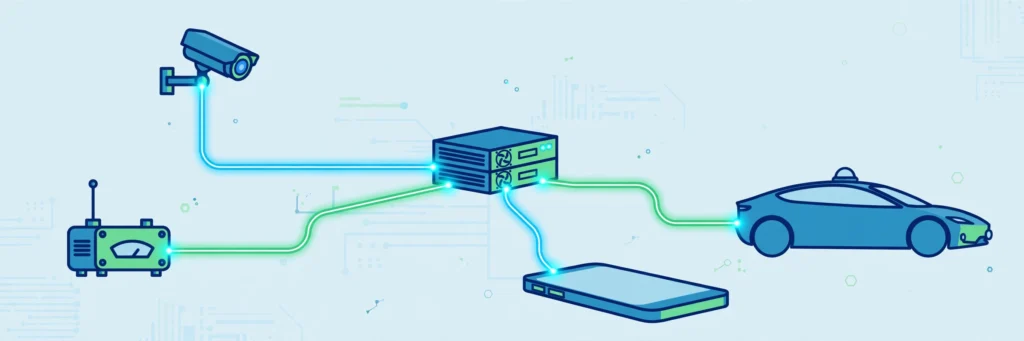
What Is Edge Computing?
Edge computing means processing data near its source instead of sending it to a distant data centre. The “edge” is wherever the data is born: a factory sensor, a security camera, a smartphone or a self-driving car. By handling computation locally, edge computing cuts delays and reduces the amount of data travelling across networks.
How Does It Work?
A simple example helps. A smart security camera with edge computing can analyse video on the device itself and only send an alert when it spots a person. Without edge computing, it would stream hours of footage to a cloud server for analysis. The work happens in three layers: the device collects data, a nearby edge node or gateway processes it, and only important results go to the cloud for long-term storage.
Edge Computing vs Cloud Computing
Cloud computing offers huge, centralised power. Edge computing offers speed and locality. They are partners, not rivals. The cloud is ideal for training AI models and storing vast archives. The edge is ideal for instant decisions. Most modern systems use both: the edge reacts in milliseconds while the cloud handles the heavy long-term work. This hybrid pattern sits at the heart of many technology trends shaping 2026.
Key Benefits
- Lower latency: Decisions happen in milliseconds because data does not travel far. This is critical for autonomous vehicles and industrial robots.
- Bandwidth savings: Only meaningful results are sent to the cloud, cutting network costs dramatically.
- Better privacy: Sensitive data can be processed locally and never leave the device or building.
- Reliability: Local processing keeps working even when the internet connection drops.
- Scalability: Adding more edge devices spreads the load instead of overloading central servers.
Real-World Uses
In healthcare, edge devices monitor patients in real time and raise instant alerts. In retail, smart shelves track stock and analyse shopper behaviour on the spot. Factories use edge computing for predictive maintenance, spotting machine faults before breakdowns happen. Smart cities process traffic camera feeds locally to manage congestion. And in telecoms, 5G networks push computing to base stations so phones get near-instant responses.
Edge Computing and AI
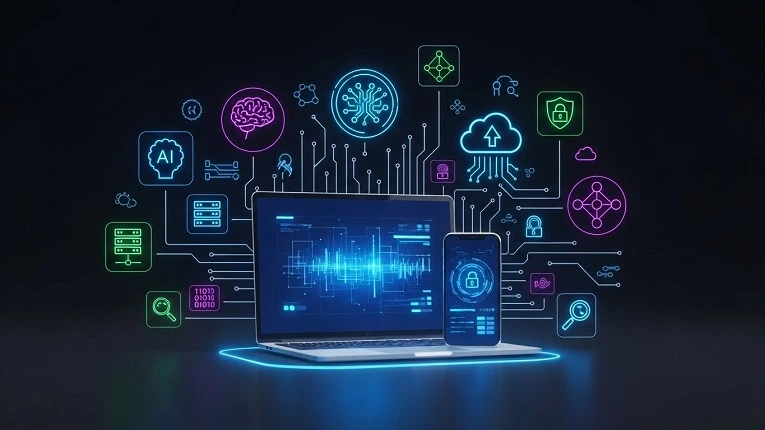
AI and edge computing are a natural pair. Running compact AI models directly on devices, often called edge AI, powers voice assistants, phone cameras and fraud detection without round trips to the cloud. As models get smaller and chips get faster, more intelligence will live at the edge. You can see this shift reflected in the wider technology trends we track on this site.
Challenges to Know
Edge computing is not free of problems. Managing thousands of distributed devices is harder than managing one data centre. Each edge device is a potential security target, so updates and encryption matter. Hardware at the edge is also less powerful than cloud servers, which limits the size of workloads it can handle. Good planning solves most of these issues, but they are worth knowing before you start.
The Future of Edge Computing
Analysts expect edge computing to keep growing fast through 2026 and beyond, driven by 5G, cheaper sensors and smaller AI models. Expect smarter factories, more responsive apps and new services that simply were not possible with cloud-only designs. For businesses, the question is shifting from whether to use edge computing to where it delivers the most value.
FAQs
What is edge computing in simple terms?
It is processing data close to where it is created, such as on a device or nearby server, instead of in a distant cloud data centre.
What is the difference between edge and cloud computing?
The cloud centralises computing power far away; the edge distributes it near the data source for speed. Most systems use both together.
What are examples of edge computing?
Smart security cameras, autonomous vehicles, industrial sensors, 5G base stations and on-device voice assistants all use edge computing.
Is edge computing secure?
It can improve privacy by keeping data local, but every device must be updated and encrypted, since each one is a potential attack point.
Do I need edge computing for my business?
If you need instant responses, handle lots of sensor data or operate with unreliable internet, edge computing is worth exploring.
Edge Computing Is Not the Same as a CDN
People often mix up edge computing with a content delivery network, or CDN. The two are related, but they do different jobs. Understanding the difference helps you see where each one fits.
A CDN stores copies of content close to users. When you load a website, images and videos come from a nearby server instead of one on the other side of the world. That makes pages load faster, but the CDN is only serving files that already exist. It does not make decisions or run your code.
Edge computing goes further. It runs code at the edge, not just files. An edge function is a small piece of code that runs on a server close to the user, in response to a request. It can check a login, personalise a page, block a bot or rewrite a request before it ever reaches your main server.
Several platforms offer this today. Cloudflare Workers lets you run JavaScript on Cloudflare’s global network. AWS Lambda@Edge runs code on Amazon’s CloudFront servers. Netlify Edge Functions does the same on Netlify’s network. All three let you run logic in milliseconds, close to the person making the request.
Most modern websites use both. The CDN serves the images and static files, while edge functions handle the personalised parts, like showing a logged in user their own dashboard. Knowing which job belongs to which tool keeps your setup simple and fast.
How to Start Learning Edge Computing at Home
Edge computing sounds like something only large companies do, but you can learn the basics at home with cheap hardware and a weekend of spare time.
Start with a Raspberry Pi. It costs less than a night out, and it is powerful enough to act as a small edge device. Connect a sensor, a camera or a temperature probe, and write a short program that processes the readings on the Pi itself instead of sending them to the cloud. That single step teaches you the core idea: decide locally, send only what matters.
A good first project is a smart doorbell or a motion alert. A camera watches the door, the Pi checks each frame for movement, and only when it spots a person does it send you a message. Without edge computing, the camera would stream hours of empty footage to a server for the same result. The difference in bandwidth is enormous, and you can measure it yourself.
Next, try an edge function on a free tier. Cloudflare Workers, Netlify Edge Functions and AWS Lambda@Edge all offer free allowances that are plenty for learning. Write a function that adds a security header to every response, or one that redirects visitors based on their country. Deploy it and test the speed from different locations.
Finally, look at multi-access edge computing, or MEC. This runs edge servers inside mobile networks, often with 5G. It is the technology behind low latency mobile apps, like remote controlled machinery and live augmented reality. You do not need to build it yourself to understand it, but knowing it exists helps you see where the field is heading.
When Should You Not Use Edge Computing?
Edge computing is not right for every job. If your work needs heavy processing, like training a large AI model or analysing years of data, a central cloud server is the better choice. Use the edge when speed, bandwidth or offline working actually matters.
Is Edge Computing Secure?
Edge computing has a mixed security picture. It improves privacy because sensitive data can be processed locally and never leaves the device. A camera that analyses video on site sends no footage to the cloud at all. But it also creates more targets. Instead of protecting one data centre, you must protect dozens or hundreds of devices.