What a Free AI Voice Generator for Videos Actually Does
A free AI voice generator converts written text into spoken audio using a neural text-to-speech model, letting you add a voiceover to a video without recording your own voice or hiring a voice actor. The output ranges from clearly synthetic to close to indistinguishable from a real recording, depending on the tool and voice chosen.
For video specifically, the useful distinction is between standalone voice generators that export an audio file you drop into an editor, and integrated tools that generate the voice inside the video editor itself, syncing it to captions and timing automatically.
Why Creators Use AI Voices Instead of Recording Their Own
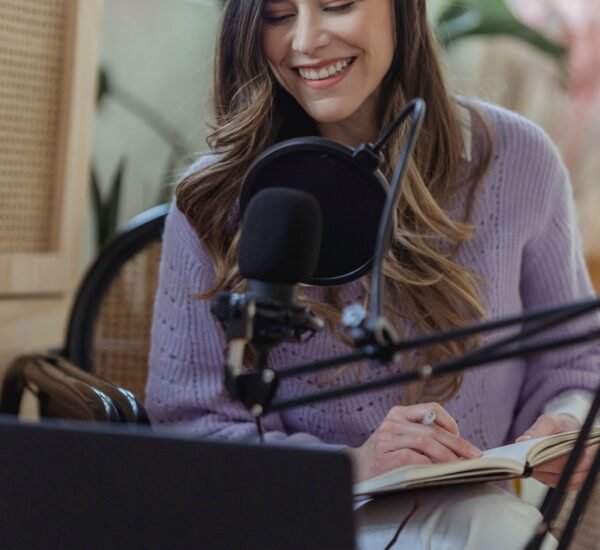
Recording a clean voiceover requires a quiet space, decent microphone and either a script read without stumbles or a lot of editing afterwards. An AI voice generator removes all three barriers: no room noise, no re-takes, and text edits regenerate the audio instantly rather than requiring a re-record.
This matters most for people who dislike hearing their own voice, produce content in a language they do not speak fluently, or publish frequently enough that recording time becomes the bottleneck rather than the writing itself.
Free vs Paid AI Voice Generators: Where the Line Actually Sits
Free tiers typically cap either monthly minutes or characters, restrict access to a fraction of the available voice library, and often add a watermark or “made with” tag to the output. ElevenLabs, for example, offers a genuinely capable free tier but limits it to roughly 10 minutes of generation a month, which suits occasional use but not a weekly content schedule.
Tools built on open neural TTS engines, such as those using Microsoft’s Edge TTS voices, can offer unlimited free generation with no watermark, though the voice selection and emotional range is usually narrower than a dedicated paid voice platform.
How to Add an AI Voice to a Video: Step by Step
Step 1: Write the Script Before Choosing a Voice
Draft the full narration first. Trying to pick a voice before the script exists usually means re-picking it later once the tone of the writing becomes clear.
Step 2: Match the Voice to the Content Type
A product demo suits a clear, neutral voice; a story-driven video benefits from more expressive, emotionally varied voices. Most tools let you preview a short sample before generating the full script, which is worth doing for every new project rather than reusing the same default voice.
Step 3: Generate in Sections, Not One Long Block
Splitting a script into shorter sections makes it easier to regenerate a single sentence that sounds off, rather than reprocessing the entire narration and burning through free-tier character limits unnecessarily.
Step 4: Check Pacing Against Your Video Timeline
AI-generated speech often runs at a different pace to natural conversation. Preview the audio against your rough cut before finalising, since pacing mismatches are the most common reason an AI voiceover feels slightly off even when the voice itself sounds natural.
Step 5: Sync Captions to the Audio
Several tools generate word-level timed captions automatically alongside the voice track. Where this is not built in, a separate transcription step keeps captions accurate rather than relying on manual timing.
Step 6: Export and Layer With Background Audio
Export the voice track separately from any music or sound effects, then balance levels in your editor rather than depending on the voice tool’s built-in mixing, which is usually more limited than a dedicated audio pass.
Best Free AI Voice Generators for Video in 2026
| Tool | Best For | Free Limit | Watermark |
|---|---|---|---|
| ElevenLabs | Most realistic voice quality overall | Around 10 minutes monthly | No |
| CapCut Voice Generator | Voiceover generated directly inside video editing | Generous, tied to CapCut account | No |
| Freepik AI Voiceover | Quick browser-based social or tutorial voiceovers | Limited daily generations | No |
| Microsoft Edge TTS-based tools | Unlimited generation, no character cap | Unlimited | No |
| Murf AI | Business, educational and marketing narration | Limited minutes on free plan | No, on free tier output |
Realism and free-tier generosity rarely come together in the same tool. ElevenLabs leads on voice quality but limits monthly minutes; tools built on open TTS engines offer unlimited generation with a narrower emotional range.
Realistic AI Voices vs Robotic Text-to-Speech: What Changed
Older text-to-speech tools produced flat, evenly-paced audio with no natural pausing. Neural voice models trained on large speech datasets now reproduce breathing pauses, emphasis and intonation shifts that follow sentence structure, which is why 2026-generation tools sound noticeably closer to a real recording than tools from just a few years earlier.
Common Mistakes When Using AI Voice Generators for Video
- Writing the script in a formal register and expecting a casual-sounding voice. AI voices follow the punctuation and phrasing given to them; a stiff script produces stiff-sounding narration regardless of the tool.
- Ignoring pacing checks against the video cut. A voiceover that reads well on its own can still feel rushed or dragged once placed against edited footage.
- Using the same default voice across every project. Audiences notice repetition faster than tone mismatches, and previewing alternatives takes seconds.
- Skipping a listen-through before publishing. AI models occasionally mispronounce names, acronyms or numbers, and this is usually caught only by playing the full track back.
Is Free AI Voiceover Good Enough for Commercial Use
Most free tiers permit commercial use, but the terms vary by platform and are worth checking before publishing branded content, since some free plans restrict commercial rights to the paid tiers specifically. Voice quality on the free tier is typically identical to the paid tier; the difference is almost always in monthly limits and voice library access, not audio fidelity.
Frequently Asked Questions
Can I clone my own voice for free?
Some tools offer limited free voice cloning, ElevenLabs included, though usage is capped and quality improves noticeably on paid tiers with more training audio.
Do free AI voice generators add a watermark to the audio?
Most reputable free-tier tools do not watermark the audio itself, though some add branding to accompanying video output rather than the voice track.
Which free AI voice generator sounds the most natural?
ElevenLabs is widely regarded as the most natural-sounding option in 2026, with the trade-off being a tighter monthly free-tier limit than less expressive alternatives.
Can AI voice generators handle languages other than English?
Yes, most major tools support dozens of languages and several regional accents, though voice naturalness varies more between languages than it does within English alone.
Final Thoughts
A free AI voice generator removes the two biggest barriers to adding narration to video: recording equipment and re-take time. The trade-off sits in monthly limits rather than quality, since most tools keep free-tier audio fidelity identical to their paid plans. Matching the voice to the content, checking pacing against the edit, and listening through before publishing catch most of the issues that make AI narration sound obviously synthetic. This pairs naturally with a full text-to-video workflow, covered in our guide on turning text into video with AI.
Author: GeneralUpdate Editorial Team. We research and test AI tools and automation workflows to help small businesses and marketers make practical software decisions.