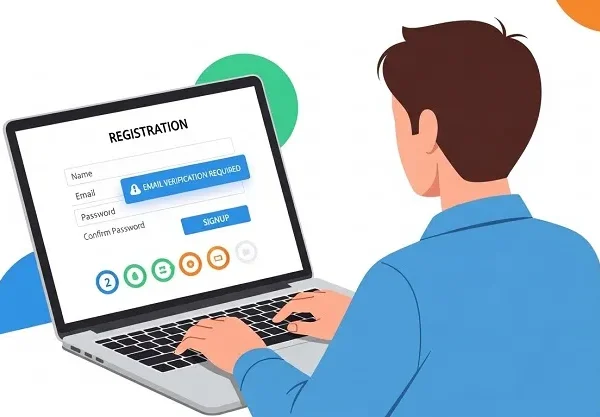
Every device you touch, every service you use, from smartphones and laptops to cloud systems and smart cities, runs on software. But what exactly is software? How does it influence modern life, businesses, and emerging technologies like AI and cloud computing?
At its core, software is the set of instructions that tells computers what to do and how to do it, powering everyday tools, enterprise systems, mobile apps, and even the servers that host social media platforms and financial institutions.
This comprehensive guide dives deep into everything you need to know about software: from types and development processes to real-world trends, business impact, and future directions. Whether you’re a student, a budding developer, or a business leader, this article will help you understand why software is at the heart of the digital revolution.
What Is Software?
Software is a collection of instructions, programs, and data that tells a computer how to perform tasks from simple operations like writing a document to complex processes like running cloud platforms.
Unlike hardware (the physical components), software is intangible; you use it rather than touch it. It includes everything from operating systems like Windows and macOS to mobile apps like Instagram and enterprise tools like CRM systems.
How Software Interacts with Hardware
Software acts as a translator between the user and the machine. When you launch an application, the software sends commands to the Central Processing Unit (CPU), which interprets them and executes tasks.
History of Software Development
Early computing was hardware-centric; programs were written in raw machine code specific to devices. High-level programming languages like FORTRAN and COBOL (introduced in the 1950s–60s) made software easier to write and maintain.
Over time, software evolved through phases from standalone desktop programs to networked applications, mobile apps, cloud-native services, and now AI-driven solutions. This evolution reflects both advancements in technology and the growing needs of users and businesses globally.
Types of Software
System Software
This serves as the foundation of computing devices. It includes operating systems (OS), device drivers, and essential utilities. System software manages hardware, memory, and provides the platform on which application software runs.
Application Software
This type is intended for end-users. Examples include:
- Word processors (Microsoft Word)
- Web browsers (Google Chrome)
- Games
- Mobile apps
Application software helps users perform specific tasks easily.
Programming & Developer Tools
Not end-user apps, these tools help developers write, test, and debug software. Examples:
- Compilers
- Interpreters
- Integrated Development Environments (IDEs) like Visual Studio Code
Open-Source vs Proprietary Software
- Open-source software (OSS): Source code is publicly available for use, modification, and distribution (e.g., Linux, Firefox).
- Proprietary software: Owned by individuals or companies (e.g., Microsoft Office), restricted by license terms.
Emerging Categories
Modern software often blends into new classes like:
- Cloud applications
- Software as a Service (SaaS)
- AI-powered application suites
These have transformed traditional delivery models.
How Software Works
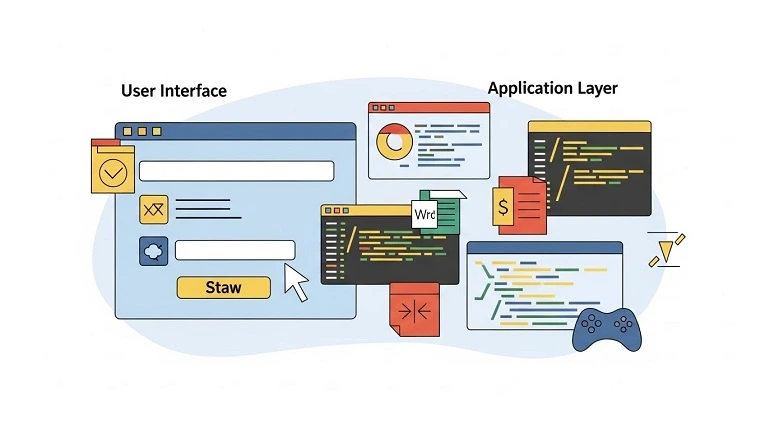
Software works through layers:
- User Interface (UI): Where users interact.
- Application Logic: Processes inputs and makes decisions.
- System Calls: Communicates with the OS.
- Hardware Instructions: Final commands the CPU executes.
This layered interaction ensures efficiency, abstraction of complexity, and user-centric delivery.
Software Development Lifecycle (SDLC)
The SDLC is the structured process for creating software. Key stages include:
- Requirements gathering
- Design
- Coding
- Testing
- Deployment
- Maintenance
This life cycle ensures reliability, quality, and scalability.
Insight: Modern development increasingly adopts agile methodologies focusing on iterative, customer-responsive cycles.
Software Design & Architecture
Good design determines how software behaves under load, how easy it is to update, and how secure it remains against attacks. Common architectural models include:
- Monolithic
- Microservices
- Serverless
Each architecture fits different use cases, from small apps to scalable cloud solutions.
Popular Software Platforms & Examples
Software isn’t just code, it’s entire ecosystems:
- Operating Systems: Windows, macOS, Android
- Productivity Suites: Microsoft 365, Google Workspace
- Graphics & Media: Photoshop, VLC
- Developer Tools: GitHub, Docker
These platforms impact everything from daily workflows to global enterprises.
Software in Business & Enterprise
Companies rely on software for:
- Project management
- CRM and ERP (Enterprise Resource Planning)
- Security and compliance
- Automation
Digital transformation initiatives center on software to improve efficiency, reduce costs, and boost innovation.
Software Trends: Cloud, AI, and Automation
Cloud Computing & SaaS
Software as a Service (SaaS) delivers applications over the internet. Tools like Salesforce and Office 365 are delivered this way for flexibility and scalability.
Artificial Intelligence (AI)
AI-driven software can automate tasks, analyze massive datasets, improve decision-making, and even personalize user experiences.
Challenges in Software Development
The biggest hurdles include:
- Security vulnerabilities
- Scalability limitations
- Legacy system compatibility
- Rapid technology evolution
Addressing these requires strategy, tools, and expertise.
Security & Quality Assurance
Modern software must be secure and reliable. Testing, code reviews, and static/dynamic analysis tools ensure high quality before deployment.
The Economic Impact of Software
Software drives economic growth, enabling new business models like subscription services, automating workflows, and expanding digital markets.
Future of Software
The next wave includes:
- AI-first applications
- Edge computing
- Autonomous systems
- Ubiquitous computing
Software will increasingly blur the line between digital and physical experiences.
FAQs
Q1: What is software, and why is it important?
A: Software is the set of instructions that tells a computer how to operate. It powers digital devices, automates tasks, and enables modern services, making it essential for technology.
Q2: What are the main types of software?
A: System software (OS), application software (apps), programming tools, and open-source vs proprietary categories are the primary classifications.
Q3: How does open-source software differ from proprietary software?
A: Open-source allows modification and redistribution, whereas proprietary software restricts access under licenses.
Q4: What is the future of software development?
A: The future focuses on AI integration, cloud-native services, customizable apps, and faster delivery models.
Q5: Why is software testing critical?
A: Testing ensures reliability, performance, and security before software is released.
Engagement Message
Thanks for reading! Did this guide help you better understand software? Let us know your biggest takeaway or question in the comments, and if you found this useful, please share it with your network. Your support helps us create more content like this!